View RTC Bhoomi: Hey guys!! Do you want to check RTC (Document of Rights, Tenancy and Crops) and MR (Mutation Extract) details in stable version and beta version. Yahooo!! you are at right place to view RTC & MR. Let’s deep dive to check RTC bhoomi Reports.
How to View RTC and MR bhoomi Online?
Please follow the below steps to view RTC and MR Bhoomi Online reports as you need.
Step 1: Go to homepage of Bhoomi online by clicking here: https://landrecords.karnataka.gov.in/
Step 2: Karnataka Bhoomi Home page >> RTC Services >> Click on the “View RTC and MR” as shown in below screenshot.

Step 3: Select required report from Current year, old year, MR, Mution Status, Survey document and Akarband. Then Select your district, Taluk, Hobli, Village, Survey Number and click on the “Go” as shown in below screenshot.

Step 4: Select Surnoc, Hissa No and Period then Click on the Fetch Details button to get detailed report to view.

Final Step: If you want to detailed report to printout. Click on the View button to get RTC Bhoomi Report as shown in below.

How to Check RTC & MR Reports in Beta Version?
Step 1: Go to homepage of Bhoomi online by clicking here: https://landrecords.karnataka.gov.in/
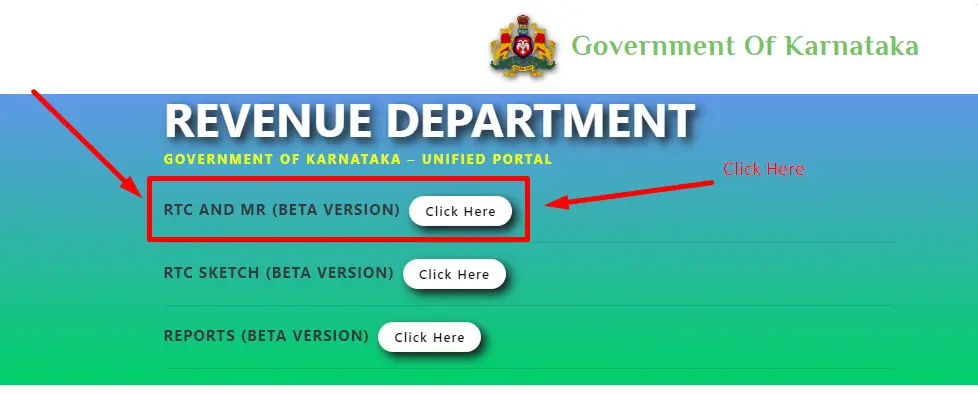
Step 2: Click on the RTC and MR Beta Version as shown in below screenshot.
Step 2: Then Enter the village name and Fetch survery details.
or
Click on the “Advanced Village Search” and Select ಜಿಲ್ಲೆ / District, ತಾಲೂಕು / Taluk, ಹೋಬಳಿ / Hobli, ಗ್ರಾಮ / Village and then Click on the Fetch Survey Details Button.

You will geta RTC and MR Bhoomi Beta reports like 3D view. Report and well detailed in 3D. You may face some issues, when you view report in beta version. I will give you one tip to view quickly without any issues.
Open incognito tab and check RTC and MR beta report as I said above steps.
If you have any thoughts about bhoomi online (Karnataka land records), please comment below.